Data-driven books
Create in-game documentation from data files, a core Patchouli use case.
Explore Patchouli Mod features, loader compatibility, installation guidance and independent resources for data-driven Minecraft guidebooks.
Patchouli is designed for modders and modpack makers who want structured, data-driven in-game documentation. Books can organize entries, present rich content and guide players without forcing documentation into an external browser.
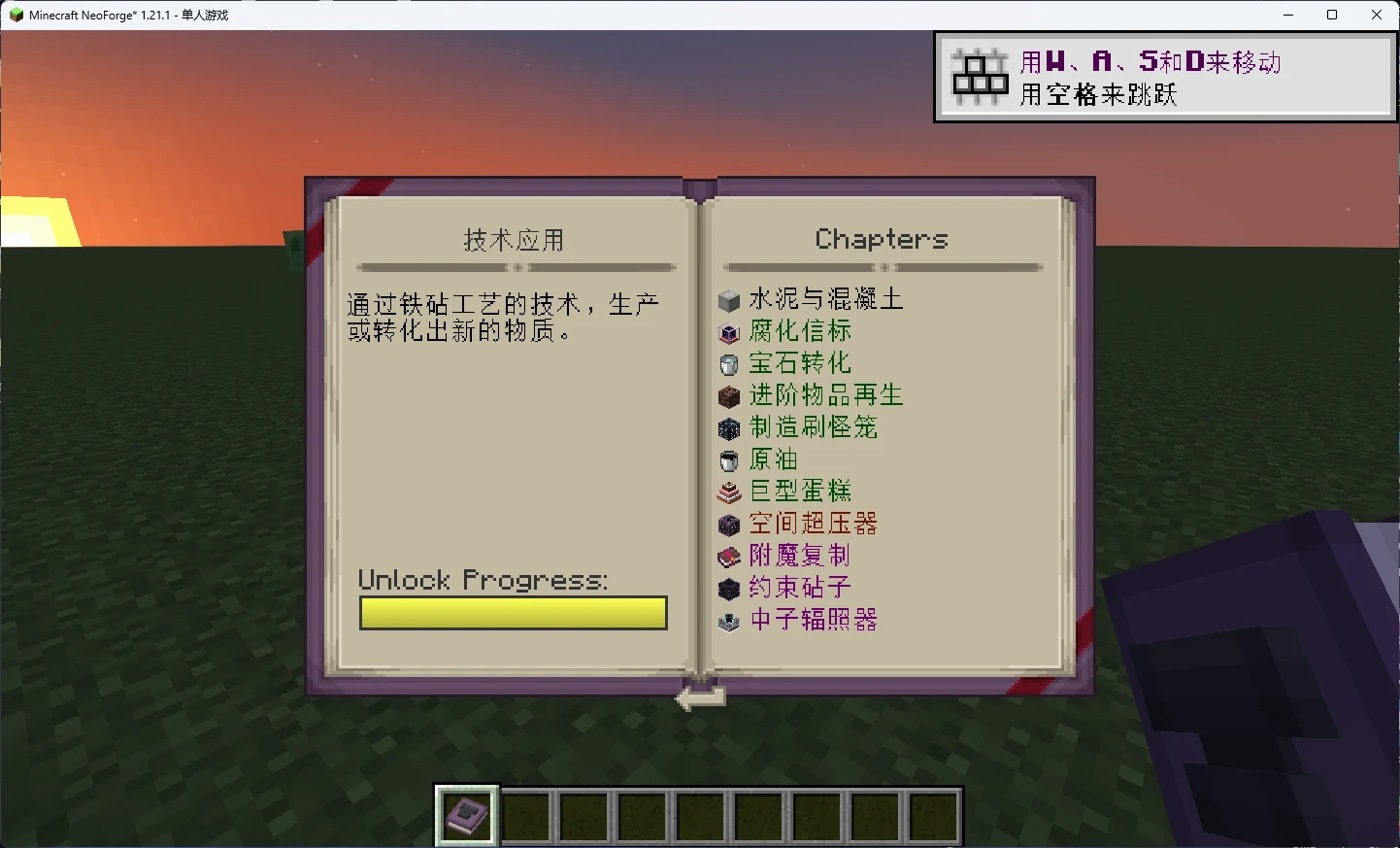
Patchouli supports structured guidebooks with categories, entries, rich text, crafting-oriented pages, images, progression-aware unlocking and other reader-focused features.
The exact book content you see depends on the mod or modpack that provides it.
Create in-game documentation from data files, a core Patchouli use case.
Documentation can combine text with crafting, images and other structured page types.
Nested categories, entries and bookmarks help readers move through larger guidebooks.
Books can reveal content in response to advancement-driven progression.
Supported guide content can visualize multiblock structures for easier building.
Documentation can be structured for localization across languages.
Identify the Minecraft version and mod loader used by your instance.
Use a Patchouli file intended for that Minecraft version and loader.
Place the downloaded mod file in the mods folder used by your modded profile.
Start the matching profile and confirm the game loads before adding further changes.
Patchouli is distributed across loader-specific projects. The Forge project also lists NeoForge files, while a separate project covers Fabric/Quilt. Exact availability varies by Minecraft version.
Use files explicitly marked for your loader and game version. Do not assume one loader build is interchangeable with another.
A separate Fabric/Quilt project exists. Select that route when your instance uses Fabric or Quilt.
File histories include older and newer Minecraft branches, including 1.12.2, 1.20.1 and the 1.21 line. Always verify the exact target.
Explain mechanics, recipes and progression inside a mod.
Organize pack-specific instructions and progression into one readable book.
Use visual or multiblock-oriented pages to communicate structures and assembly.
The button below uses the exact download source supplied for this website. Before installing, confirm that the downloaded file matches the Minecraft version and loader used by your instance.
The main button points to the provided CurseForge API download URL without disguising or modifying it.
Confirm loader and Minecraft version details before moving the file into your mods folder.
For established worlds or packs, keep a backup before changing mods or versions.
Check your mod loader profile and existing mod setup before replacing or adding Patchouli Mod files.
Re-check the Minecraft version, loader family and file target. Remove only the recent change while diagnosing.
The book itself may be supplied by another mod or pack. Patchouli provides the documentation framework rather than every book.
Replace the file with the build made for Forge/NeoForge or Fabric/Quilt as appropriate.
How to approach a Patchouli mod download, verify the loader and choose a compatible file before installation.
Read guide →
Understand the separate Fabric/Quilt route for Patchouli and avoid mixing loader-specific files.
Read guide →Learn how Patchouli guidebooks organize categories, entries, page types and in-game documentation.
Read guide →